//由下往上看
1-1

放大縮小-->移動-->整個畫面旋轉
1-2

放大縮小-->旋轉-->車子往右移動
比較圖:

課堂作業2
程式碼:
#include <GL/Glut.h>
float rotX=0;
void display()
{
glClearColor(0,0,0.3,1);
glClear(GL_COLOR_BUFFER_BIT);
glPushMatrix();
glRotatef(rotX,0,1,0);
glColor3f(0.2,1,0);
glutSolidTeapot(0.3);
glPopMatrix();
glutSwapBuffers();
}
void motion(int x,int y)
{
rotX=x;
display();
}
int main(int argc,char **argv)
{
glutInit(&argc, argv);
glutInitDisplayMode(GLUT_DOUBLE|GLUT_DEPTH);
glutCreateWindow("hello3D");
glutDisplayFunc(display);
glutMotionFunc(motion);
glutMainLoop();
}

課堂作業3
glutSwapBuffers
//交換雙緩衝區
//解決畫面閃爍問題
//glutSwapBuffers()所做的就是在OpenGL繪畫完成之後趕緊變更顯示的緩衝區
//將新的畫作呈現在螢幕上,然後OpenGL在另一個緩衝區繼續趕稿
//畫好了之後glutSwapBuffers()又變更顯示的緩衝區
//將最新的畫作呈現在螢幕上,舊畫面被glClear清理了,以供OpenGL再次趕稿
//視窗上永遠有一張圖來撐場面,於是就沒有閃爍感了
參考來源:http://www.gamelife.idv.tw/viewtopic.php?t=598

網址:
glut_double
同時顯示前景並更新背景影像

網址:http://youngcold.blog.51cto.com
課堂作業四
//上下左右拖曳旋轉
程式碼:
#include <GL/glut.h>
float rotX=0, rotY=0;
void display()
{
glClearColor(0, 0.2, 0.5, 1);
glClear(GL_COLOR_BUFFER_BIT);
glPushMatrix();
glRotatef(rotX, 0, 1, 0);
glRotatef(rotY, 1, 0, 0);
glColor3f(1, 1, 0);
glutSolidTeapot(0.3);
glPopMatrix();
glutSwapBuffers();
}
void motion(int x, int y)
{
rotX = x, rotY = y;
display();
}
int main(int argc, char ** argv)
{
glutInit(&argc, argv);
glutInitDisplayMode(GLUT_DOUBLE|GLUT_DEPTH);
glutInitWindowSize(370, 350);
glutInitWindowPosition(0, 0);
glutCreateWindow("hello3D");
glutDisplayFunc(display);
glutMotionFunc(motion);
glutMainLoop();
}

Push Pop
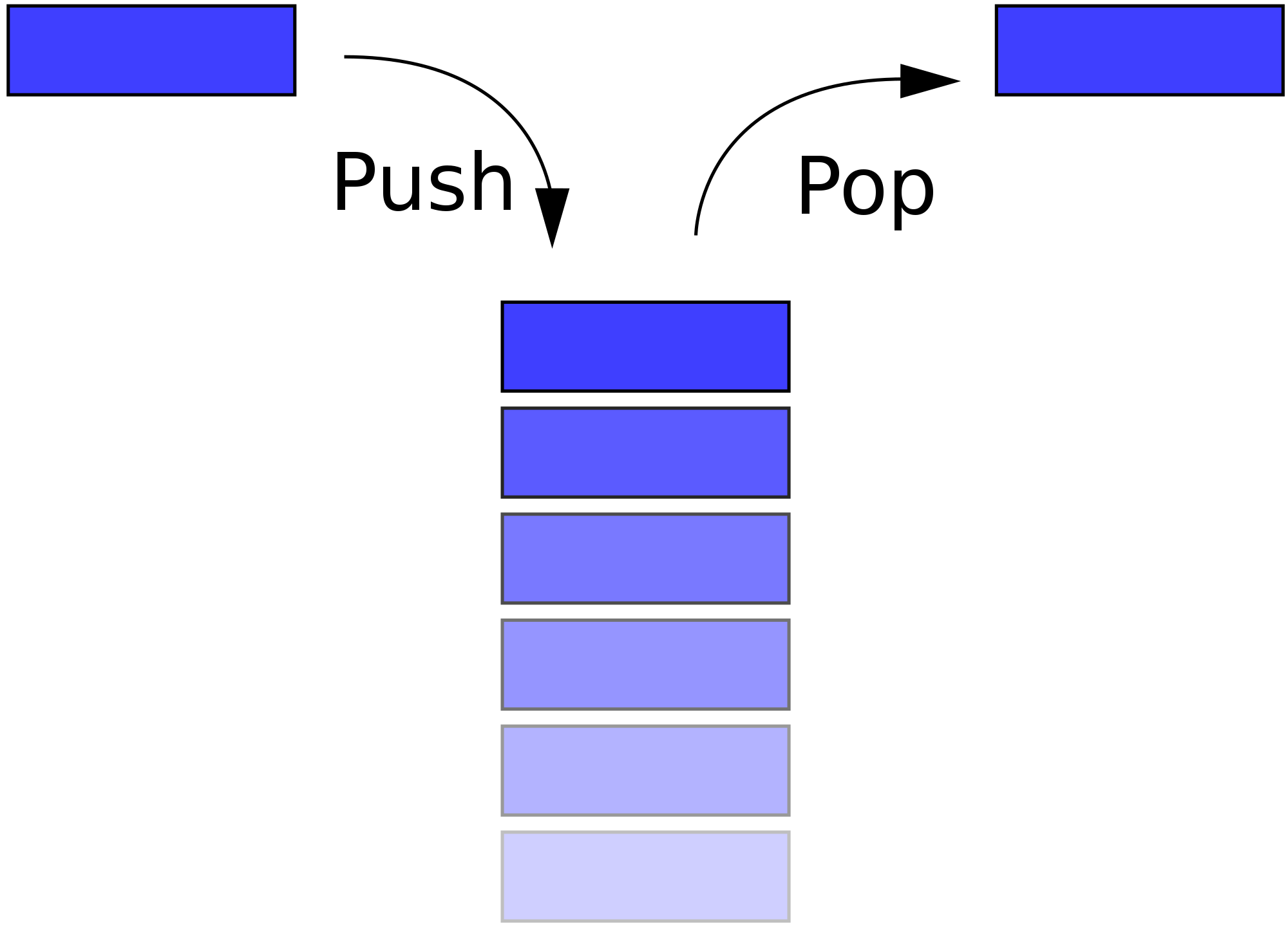
網址:https://zh.wikipedia.org/wiki/
Matrix //矩陣

沒有留言:
張貼留言